 TallyCopilot
What Is Tally? Accounting, Inventory and Business Uses Explained
Tally is business software used to record transactions, manage stock and understand a company's finances. TallyPrime is the product covered in this guide. It brings accounting, inventory, banking and tax-related workflows into the same system. TallyPrime overview.
For a business owner, its value becomes clearer through everyday questions. A customer has bought goods on credit. How much do they still owe? A supplier has delivered stock. Has the bill been paid? Sales have increased this month. Has profit increased too?
Tally helps answer those questions from the transactions recorded in the business. Learning it starts with understanding how those records connect.
What Tally does in a small business
Imagine Aster Office Supplies, a fictional business selling stationery to local offices. The following example excludes tax, freight and other expenses so the accounting is easy to follow.
Aster buys 20 packs of paper for Rs 200 each, on credit. It then sells 10 packs to Maple Studio for Rs 300 each, also on credit. Maple pays Rs 2,000 against its invoice.
Those three events leave Aster with several different numbers to track:
| Question | Answer in this example |
|---|---|
| How much did Aster buy? | Rs 4,000 |
| How much did it sell? | Rs 3,000 |
| How much did Maple pay? | Rs 2,000 |
| How much does Maple still owe? | Rs 1,000 |
| How much is owed to the supplier? | Rs 4,000 |
| How much paper remains? | 10 packs |
| What is the cost of the paper sold? | Rs 2,000 |
| What is the gross profit on this sale? | Rs 1,000 |
The Rs 2,000 received from Maple is not the profit. Part of the invoice is unpaid, and the business still owes its supplier. Buying stock, making a sale and collecting money are separate events.
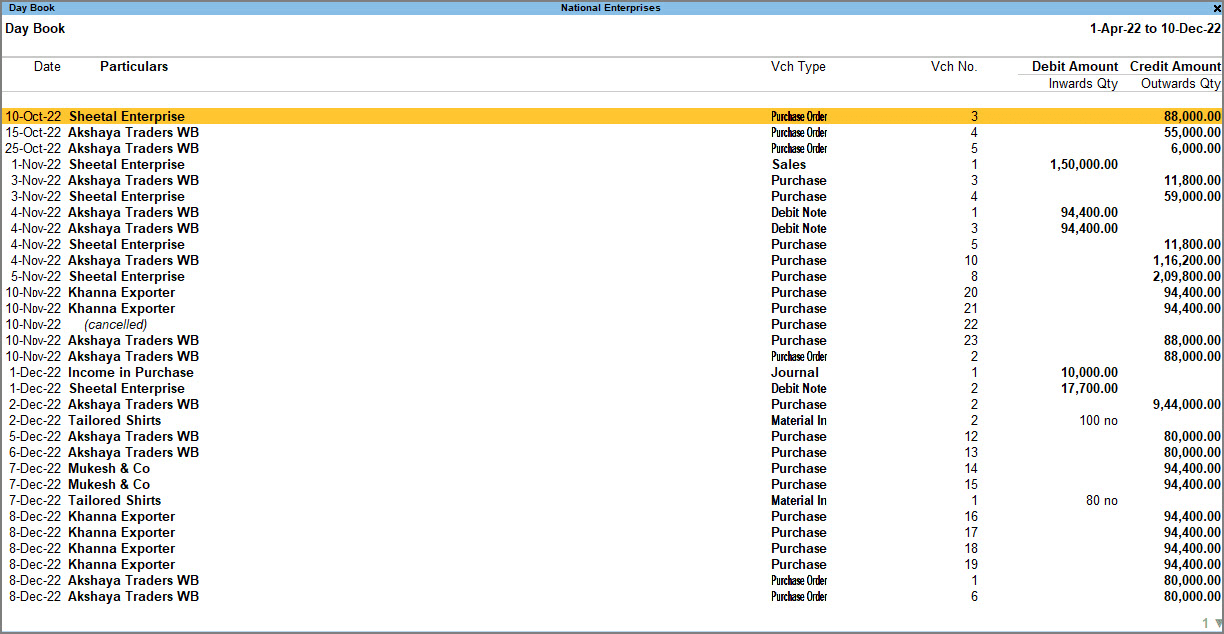
When the transactions and inventory are recorded correctly, Tally's reports help the owner inspect each part of that picture. Accounting and stock features must be configured to match the workflow. Tally accounting and inventory documentation.
TallyPrime Day Book lists recorded transactions and their voucher types.
Official TallyPrime example; names, amounts and dates differ from the walkthrough. Source: TallyHelpFour terms that make Tally easier to understand
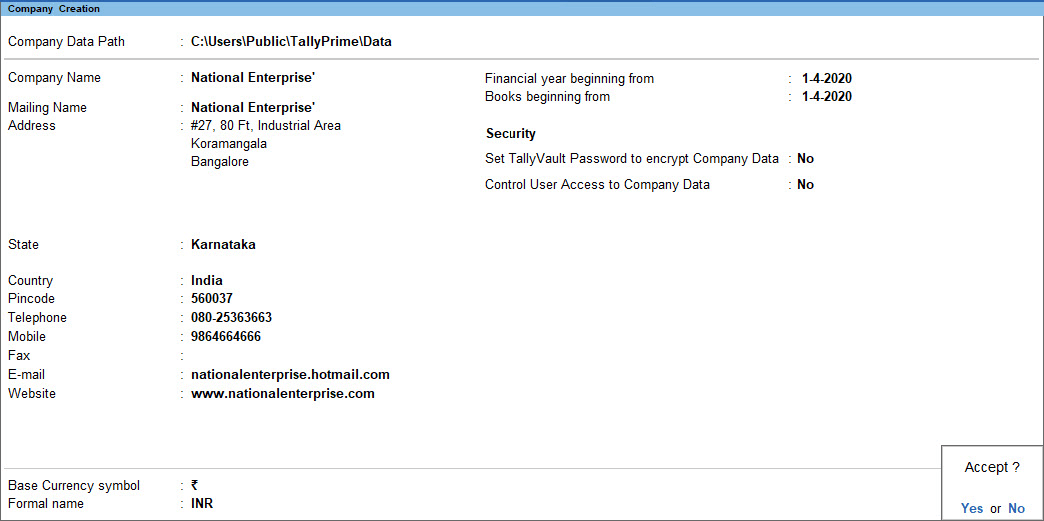
A company stores the business records you are working with. Before entering any data, make sure the correct company is open. A practice company should have a clear name that separates it from live books.
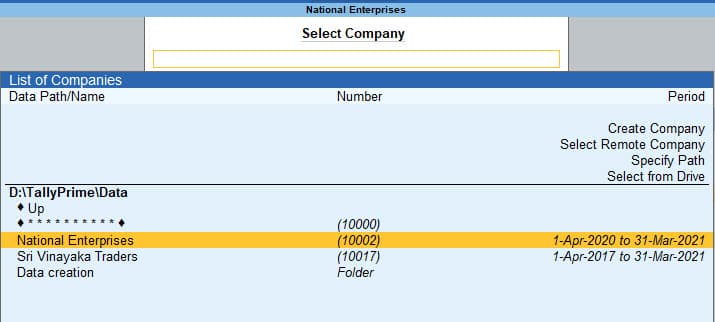
Select Company lists the available businesses. Check the company name and period before opening its records.
Official TallyPrime example; names, amounts and dates differ from the walkthrough. Source: TallyHelpA ledger is an individual account, such as a customer, supplier, cash account, bank account, or office expense account.
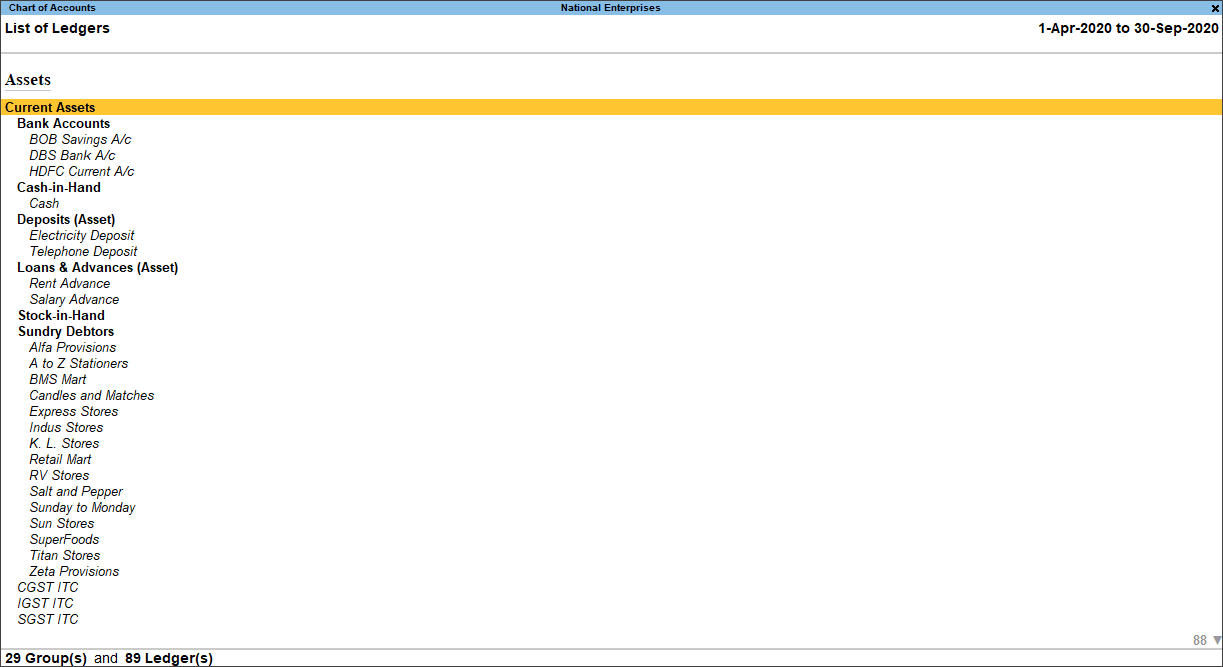
A group classifies ledgers and keeps reports organised. Customers are usually grouped under Sundry Debtors, while suppliers are grouped under Sundry Creditors. TallyHelp on ledgers and groups.
A voucher records a transaction. For example, a sales voucher records a sale, while a receipt voucher records the customer's payment. The customer ledger brings these transactions together and shows the outstanding balance.
The basic flow is simple: the company holds the records, ledgers identify the accounts, groups organise them and vouchers record transactions.
Where businesses use TallyPrime
Accounting and invoicing
A business can record sales, purchases, expenses, and payments, and then review the accounts created by those transactions. A printed invoice is one result of this process, while the amount the customer still owes is another.
This distinction matters when somebody asks for a correction. Changing an invoice affects more than the document sent to the customer; it can affect the books behind it.
Inventory
For Aster, paper packs are stock items. Tracking item quantities helps determine whether an order can be fulfilled and whether the physical stock matches the quantity recorded in the system.
If somebody takes a pack for office use without recording it, the system can show stock that is no longer on the shelf. Software cannot infer every movement that employees forget to enter.
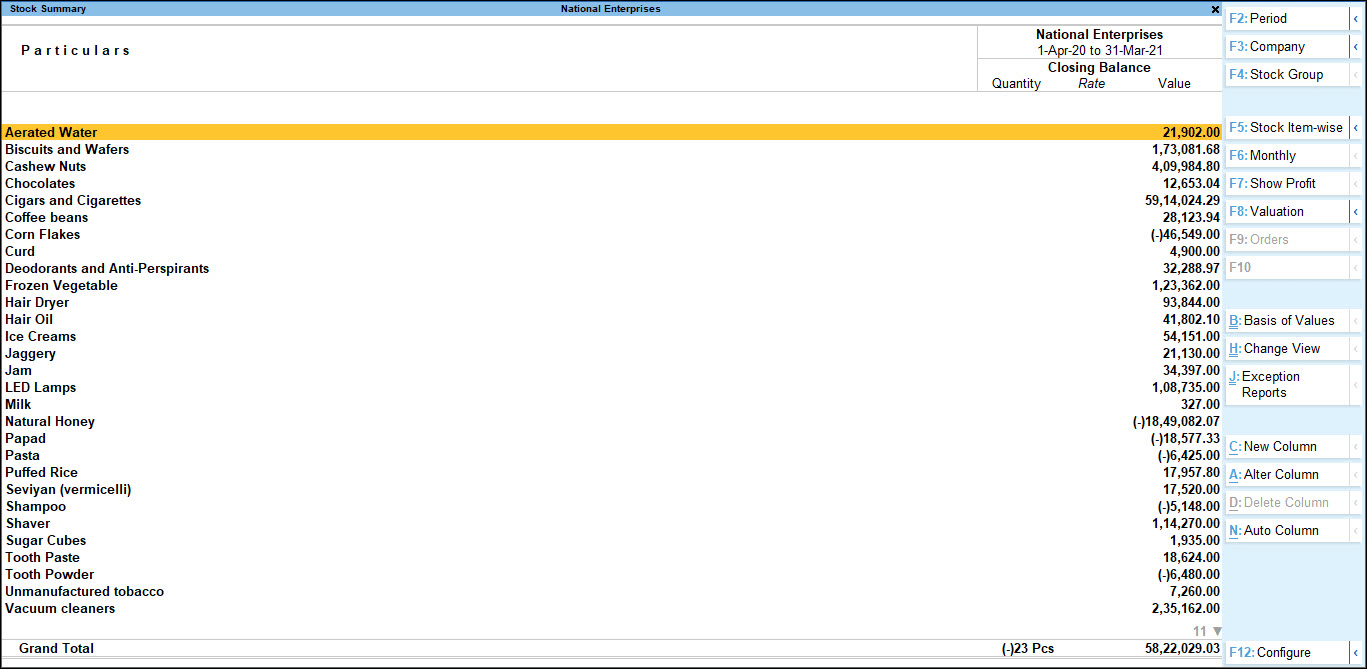
Stock Summary shows quantities, rates and closing values for inventory items.
Official TallyPrime example; names, amounts and dates differ from the walkthrough. Source: TallyHelpBanking and tax workflows
TallyPrime supports bank reconciliation and GST-related work, with availability and setup depending on the feature and release. TallyPrime quick start.
Reconciliation means comparing the books with the bank's records and investigating differences. For tax work, correct registration details, classifications and transaction information remain essential. A calculation based on the wrong setup can still look precise.
Tally and Excel serve different purposes
Excel is useful for calculations, planning and analysis you want to arrange yourself. You can also maintain a small transaction list in it.
As that list grows, someone must keep the invoice register, customer balances, stock sheet and financial summaries consistent. A spreadsheet can be designed to do that, but the design and maintenance become part of the job.
Tally provides an accounting structure around the entries. Excel can remain useful alongside it, particularly for analysis or preparing data. The key question is where the business keeps its official transaction records and who is responsible for checking them.
TallyPrime and Tally ERP 9
Older tutorials may refer to Tally.ERP 9, but this series uses TallyPrime. Menu paths and some shortcuts differ, so an instruction from an older video may not match your screen. Tally's own shortcut reference separates the products. TallyPrime and Tally.ERP 9 shortcuts.
Use a guide that names the product you have open. For features added in later releases, check the release as well.
Where AI fits
Once the records are in Tally, repetitive work becomes easier to identify: entering similar transactions, finding a particular balance or gathering information for a question.
At Crator, we are also building TallyCopilot to connect Tally with AI assistants. The intended role is to help people work with their Tally data and carry out supported tasks.
Start with one transaction
The best first exercise is small enough to check without trusting the software blindly. Create a practice company, record a simple expense and inspect the cash balance afterward.
Continue with How to Use TallyPrime. It walks through that exercise with exact sample amounts and explains what to check after saving.
Keep reading
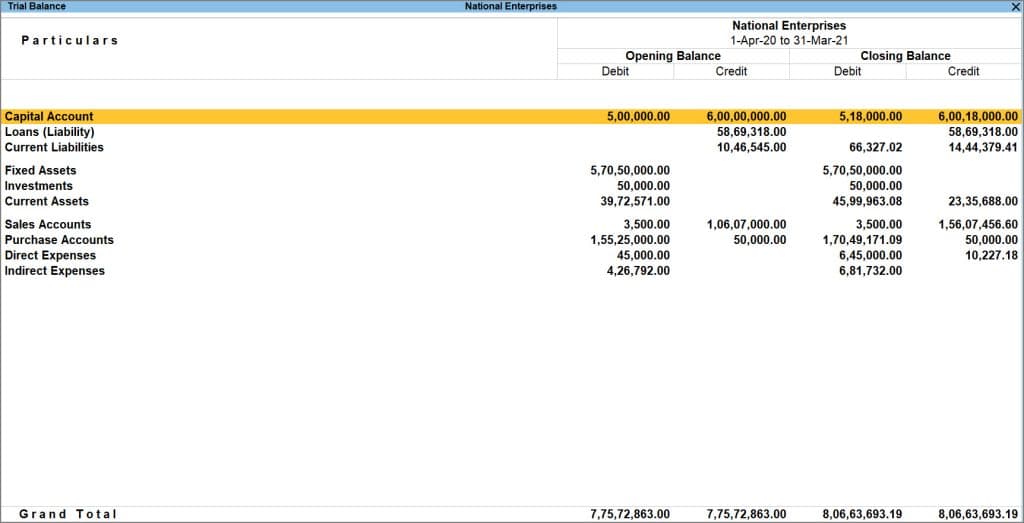 Tally basicsHow to Use TallyPrime: From Company Setup to Your First TransactionLearn TallyPrime with a practice company, opening balances and one payment entry. Check the Day Book, cash balance and Trial Balance afterward.
 Tally basicsHow to Create a Company in TallyPrime: Settings to Get Right FirstCreate a company in TallyPrime and understand financial year dates, books beginning dates, company features and opening balance checks.
 Tally basicsLedgers and Groups in TallyPrime: How to Create Them and Choose the Right GroupLearn how to create ledgers in TallyPrime, choose the right groups and avoid duplicate accounts, with customer, supplier and expense examples.